Gaussian Splat to Mesh: 6 Ways Compared (and When Not to Convert)
"How do I turn my Gaussian splat into a mesh?" is one of the most common follow-up questions after you generate a splat — and most of the answers online are written by tools that want to sell you something. This is the vendor-neutral version. It covers the six real ways to get a mesh out of a splat, which ones actually work on a single-image splat file, why the result usually looks soft, and the cases where the honest answer is "don't convert at all."
- A Gaussian-splat
.plyis not a mesh — it has no faces — so an ordinary PLY-to-OBJ converter can't give you usable geometry. You have to rebuild a surface from the splat, which is always lossy. - Works on a single-image splat file: Polyvia3D (free, in-browser, Marching Cubes), 3DGS-to-PC (free, Apache-2.0 command line), a DIY Open3D / MeshLab Poisson route, or KIRI Engine (paid, cleaner result).
- Cannot work on your file: the high-quality research methods (SuGaR, 2DGS, GOF) re-train from the original multi-view photos, which a downloaded splat doesn't include — and they're non-commercial.
- Expect a soft, blobby mesh fit for a 3D-print base or collision proxy, not a crisp editable asset. Often the better move is to not convert: keep the splat, or regenerate a clean mesh from the original photo with a model like TRELLIS.
First, the part nobody tells you: a splat file is not a mesh
A normal mesh is vertices, faces, and UVs — an explicit surface. A Gaussian splat is something completely different: a cloud of thousands of fuzzy 3D blobs, each with a position, a color, an opacity, a scale, and a rotation. There are no faces anywhere in the file. That is why dragging a splat .ply into Blender or MeshLab shows a cloud of dots, and why a generic "PLY to OBJ" converter produces nothing useful — there is no surface in there to convert. (To see the splat the way it is meant to look instead of dots, open the .ply in our free Gaussian Splat viewer; for more on the dots, see our TripoSplat tutorial.)
We can be concrete about this, because SplatDrop's own output is a worked example. Every splat it produces is a fixed binary .ply of 262,144 Gaussians with 17 stored properties: position (x, y, z), three "normal" fields, color (f_dc_0..2), opacity, scale (scale_0..2), and rotation (rot_0..3). Two details from that structure decide everything below:
- There is no geometry, only density. So "splat to mesh" is really surface reconstruction — estimating a skin that wraps the blobs. That is inherently approximate, one-way, and tends to come out smooth and blobby.
- The normal fields are placeholders. In a standard 3D Gaussian Splatting
.plythenx, ny, nzvalues are zeros, not real surface normals. Any reconstruction method that needs normals (Poisson does) has to compute them first, or it fails — a step nearly every DIY tutorial skips.
One scope note: this guide is about a single object splat (a product, prop, or character), not a scanned room or landscape. Object-centric splats are the easier, more printable case.
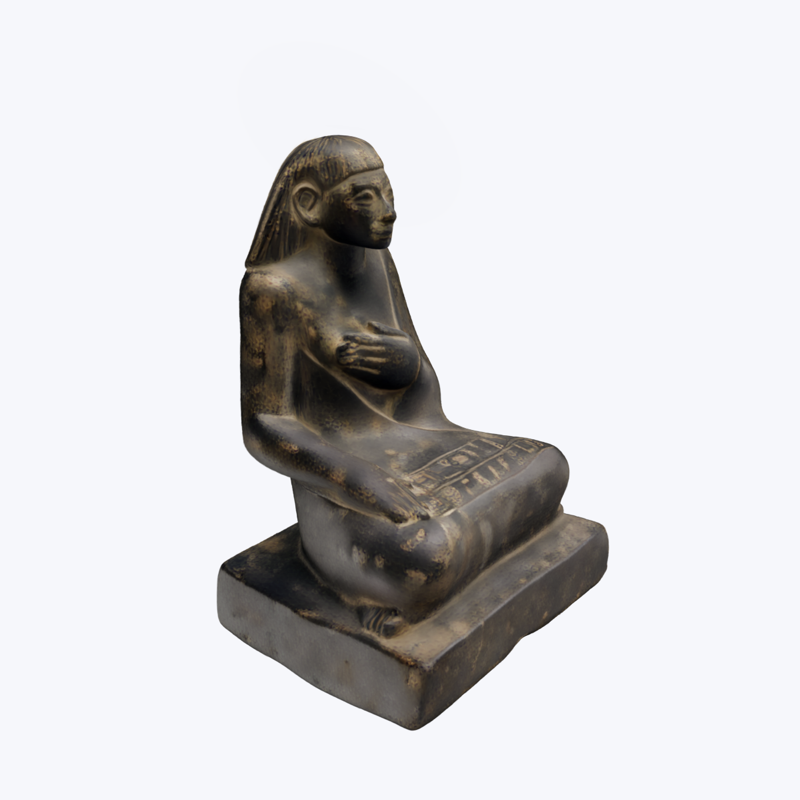
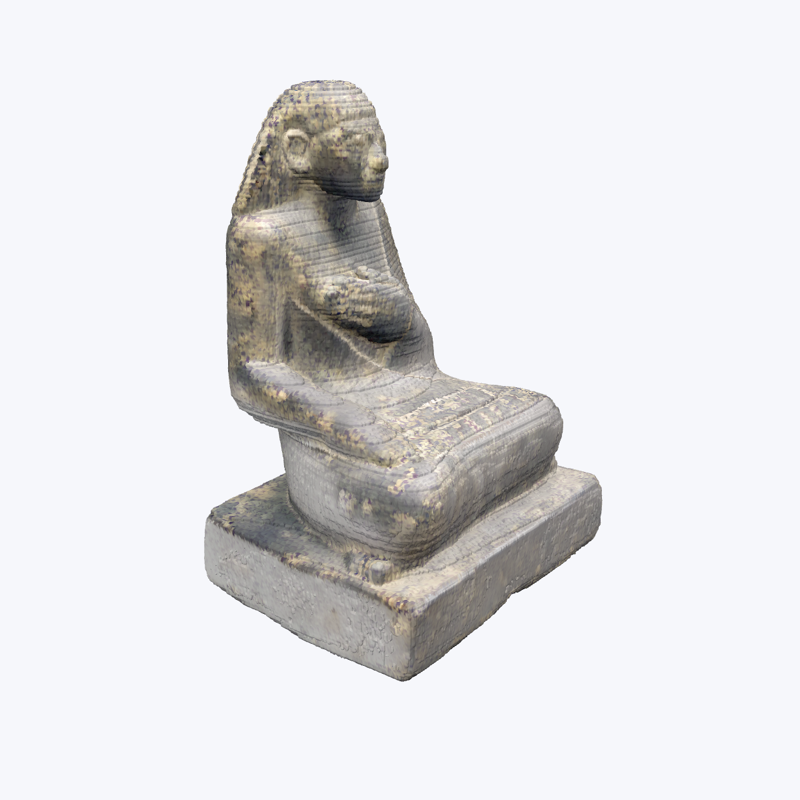
The six ways at a glance
Here is every realistic path, side by side. The most important column is the second one — what each method actually needs as input — because it quietly rules several "splat to mesh" methods out for anyone holding a single-image splat.
| Method | Needs | Output | Cost | Runs where | Quality | License |
|---|---|---|---|---|---|---|
| Polyvia3D | A splat .ply / .splat |
Color OBJ | Free, no signup | Browser (on your device) | Soft / blobby (honest about it) | Free, proprietary |
| 3DGS-to-PC | A splat .ply / .splat |
Point cloud + optional mesh | Free | Command line (install) | Basic; authors call it "naive" | Apache-2.0 (commercial OK) |
| Open3D / MeshLab Poisson | A splat .ply |
OBJ / PLY mesh | Free | Desktop app or script | Noisy; needs cleanup | Open-source |
| KIRI Engine | A scan or splat (in-app) | OBJ / FBX / STL / GLB / GLTF / USDZ | Paid (Pro) | App, web, mobile | Cleanest consumer result | Proprietary |
| SuGaR / 2DGS / GOF | The original photos + camera poses, not a bare .ply |
High-quality mesh | Free code | Local GPU install | Best geometry | Research, non-commercial |
| Regenerate (TRELLIS / TripoSR) | The original photo, not the splat | Clean textured GLB / OBJ | Free to cheap | Browser / API | Far cleaner than converting | MIT (TRELLIS, TripoSR) |
The free, no-install path: Polyvia3D
If you just want a mesh out of a splat with the least possible friction, Polyvia3D's browser-based 3DGS to Mesh tool is one of the easiest options. You open the page, drop in a .ply or .splat, pick a grid resolution, and download a color OBJ. The conversion runs entirely on your own machine — the file never gets uploaded — and it handles up to roughly one million Gaussians, so a 262,144-Gaussian splat fits comfortably.
In plain terms, it builds a 3D density field from the Gaussians, runs Marching Cubes to pull out a surface where that density crosses a threshold, then paints each mesh vertex with the color of the nearest Gaussian. Those colors are stored as OBJ vertex colors (v x y z r g b), which Blender, MeshLab, Unity, and Unreal can all read. Processing runs from about ten seconds at a coarse grid to several minutes at a fine one; a higher resolution reduces the blobbiness but never removes it, because Marching Cubes always smooths sharp and thin features. The tool says as much itself — it positions the output for print previews, collision shapes, and rough shape estimation, not as a crisp final asset.
The free, commercial-friendly path: 3DGS-to-PC
If you are comfortable with a command line and you need a result you can use commercially, 3DGS-to-PC is the standout. It is open-source under the permissive Apache-2.0 license, it takes an existing splat .ply or .splat with no re-training, and it samples the splat into a dense point cloud — then, optionally, meshes it with Poisson Surface Reconstruction.
It is smarter than just dumping the Gaussian centers: it samples points probabilistically from each Gaussian (treating it as a little density function) and rejects outliers by Mahalanobis distance, so the cloud is denser and more faithful. For a single-image splat, set max_sh_degrees 0 (its colors are order-0 only) and, if you mesh, poisson_depth 12 — the project notes 12 gave the best results and higher becomes impractical. Be aware of the authors' own caveat: they describe their meshing as "quite naive, which can lead to noisy results" and suggest smoothing it in CloudCompare. The point cloud is the main event; the mesh is a useful opt-in extra.
The DIY path: Open3D or MeshLab Poisson (and the normals trap)
You can also roll it by hand for full control and no uploads. The recipe: read the .ply (with plyfile or Open3D), take the Gaussian centers as a point cloud, optionally drop faint floaters by opacity, then run Screened Poisson reconstruction.
The step everyone forgets is the one this whole guide keeps flagging: you must estimate and orient the normals yourself first. The nx, ny, nz fields in a splat .ply are zero placeholders, and Poisson silently produces garbage without real normals. In Open3D that means calling estimate_normals and then orient_normals_consistent_tangent_plane before create_from_point_cloud_poisson (MeshLab's generate_surface_reconstruction_screened_poisson needs the same). Finally, crop the lowest-density vertices that Poisson returns — the official Open3D tutorial trims roughly the bottom 1% — because Poisson extrapolates a closed surface and invents geometry in empty areas. The result is a noisy blob that still needs decimation and smoothing. Think of this as a lower-fidelity cousin of 3DGS-to-PC (it uses only the centers, not the full density field), worth it mainly when you want to control every step.
The paid quality path: KIRI Engine
The cleanest consumer results come from KIRI Engine's 3DGS to Mesh feature, which exports to OBJ, FBX, STL, GLB, GLTF, USDZ, and PLY. Its 3DGS to Mesh 3.0 (shipped in KIRI Engine v4.2, April 2026) advertises cleaner meshes, better retention of thin structures, roughly 20% faster processing, and a measuring-and-scaling tool aimed at 3D printing. KIRI dominates the "splat to mesh" search results, so you will see it a lot.
To be fair and to be straight with you: KIRI's own explainer is marketing — it ends on "try KIRI Engine for free" and never tells you that a splat .ply is not a mesh .ply, which is exactly the gap this guide fills. Mesh export is a paid (Pro) feature, and parts of the workflow are built around capturing inside the app rather than uploading your own splat. KIRI also publishes a free, Apache-2.0 Blender add-on, 3DGS Render, but note it renders the splat natively in Blender rather than converting it to a mesh — see our guide on opening a Gaussian splat in Blender.
Why SuGaR, 2DGS, and GOF can't help you (the research-method trap)
Search "gaussian splat to mesh" and you'll quickly hit the famous academic methods — SuGaR, 2D Gaussian Splatting (2DGS), and Gaussian Opacity Fields (GOF). They produce genuinely beautiful meshes. They also cannot run on a splat you downloaded, and it is worth understanding why before you waste a weekend on them.
These are not converters. They are reconstruction pipelines that re-train from the original multi-view photographs plus camera poses, baking surface alignment into the model during training. SuGaR is the clearest example: even if you hand it a pre-trained splat checkpoint, its training command still requires -s, the path to the COLMAP source images and poses, and it renders against those ground-truth photos to refine the surface. In other words SuGaR is "splat plus images to mesh." 2DGS and GOF are the same — they train from scratch on a dataset and have no path to ingest a foreign .ply. A single-image splat ships as one baked file with no source views, so none of these apply.
There is a license trap here too, the same kind we flagged for Apple SHARP in our single-image 3D comparison. SuGaR, 2DGS, and GOF all carry the Inria / Max-Planck "Gaussian-Splatting License," which permits research and evaluation only and explicitly forbids commercial use without written consent. So treat SuGaR as "the method behind high-quality splat meshes," not as something you can run on your file or ship in a product. (Two related names that confuse people: GaMeS goes the other direction — it takes a mesh in to control a splat — and EA's mesh2splat turns a mesh into a splat. Neither is what you want.)
Should you even convert? When to keep the splat or regenerate instead
This is the section the tool vendors won't write. A lot of the time, converting your splat is the wrong move. Quick gut check:
- You just want to view or render it → keep the splat. Unity, Unreal, and Godot all render Gaussian splats natively in 2026, so you can drop the splat straight in and skip the fidelity loss entirely. To view, crop, or clean it first, use SuperSplat in the browser (the same editor we recommend in the tutorial).
- You want clean, editable geometry (retopo, UVs, animation) → don't degrade the splat. Regenerate the object as a mesh from the original photo with a mesh-native model.
- You need an explicit surface a splat can't give — a collision mesh, a navmesh, a CAD measurement, or a 3D print → now converting makes sense. Accept that the mesh will be soft and the lighting baked in.
That middle case is the one most people are actually in. If you have only the baked splat plus one photo, the better path is usually to start over from the photo with a single-image mesh generator: TRELLIS (MIT-licensed, free in the browser, outputs a textured GLB, commercial use OK) is the headline pick; Hunyuan3D is a cheap, commercially-friendly quality option; and TripoSR (MIT) is a fully-open baseline. One caution: Tripo3D's free tier forbids commercial use, so check the license before you ship. We compare the single-image mesh models in detail in the TripoSplat vs SHARP vs TRELLIS guide.
After you have a mesh: cleanup and export
A freshly converted mesh is rarely usable as-is. Two or three cleanup steps make the difference:
- Tidy the geometry. Decimate and smooth in Blender, MeshLab, or CloudCompare to tame the blobs and noise, and delete stray floating fragments.
- For 3D printing, make the mesh watertight in Blender or Meshmixer before exporting an STL. Note that OBJ vertex colors will not print as color on a standard FDM printer — they're only useful on color-capable processes.
- For game engines, import the OBJ or GLB, regenerate normals, and if you want the look, bake the vertex colors down to a texture.
Set your expectations accordingly: this is approximate geometry. It's great for previews, background props, and collision, and underwhelming as a crisp hero asset.
Can you 3D print a Gaussian splat?
People search this a lot, and there are actually two different things hiding under it. One is printing the splat volumetrically — sending the translucent cloud to a resin printer as a glowing block, sometimes called "splatcubes." The other, which is what most people mean, is the splat → mesh → STL surface workflow.
For an STL you must extract a mesh first (sections above), then make it watertight. Object-centric splats help here: a single closed object is far easier to seal into a printable solid than a scanned scene. So a single-image object splat is good raw material for a print pipeline — it still needs a downstream mesh-extraction and cleanup step, which is the work, not a magic one-click STL.
FAQ
- Can I just use a PLY-to-OBJ converter to turn my Gaussian splat into a mesh?
- No. A Gaussian splat .ply has no faces, so a generic PLY-to-OBJ converter cannot invent a surface. You have to rebuild one with a tool like Polyvia3D, 3DGS-to-PC, or KIRI Engine, and the result is always a new, approximate surface rather than your splat reformatted.
- What is the easiest free way to convert a Gaussian splat to a mesh?
- Polyvia3D is the lowest-friction option: it is free, runs in your browser with no signup, and turns a splat .ply or .splat into a color OBJ using Marching Cubes. If you want a free, commercial-friendly command-line tool instead, use the Apache-2.0 licensed 3DGS-to-PC.
- How do I convert a Gaussian splat to a mesh in Blender?
- Blender cannot rebuild a surface from a raw splat on its own. Convert first with Polyvia3D and import the OBJ, or do it by hand with Open3D or MeshLab: take the Gaussian centers as a point cloud, estimate and orient the normals yourself because the stored ones are placeholders, run Screened Poisson reconstruction, crop the low-density vertices, then import the result.
- Why does my Gaussian splat to mesh conversion look blobby or have holes?
- A splat is a soft cloud of density, not a surface. Marching Cubes and Poisson reconstruction smooth away sharp and thin features and leave holes where the splat is faint. A single-image object splat was never surface-aligned during training, so the blobbiness is fundamental to the method, not a bug in the tool.
- Can I 3D print a Gaussian splat?
- Not directly. You first extract a mesh, then make it watertight in Blender or Meshmixer before exporting an STL. A single object is much easier to seal than a whole scene, but expect a soft, low-detail base rather than a crisp print.
- Does SuGaR work on a downloaded Gaussian splat .ply?
- No. SuGaR is splat-plus-images to mesh: even when you give it a pre-trained checkpoint, it still needs the original COLMAP images and camera poses to re-optimize and extract the surface. A single-image splat you downloaded does not include those, so SuGaR cannot run on it. It is also released under a research-only, non-commercial license.
- Is it better to convert my splat to a mesh, or regenerate the mesh from the photo?
- If you only have the baked splat and you need clean, editable geometry, it is usually better to regenerate the object as a mesh from the original photo with a mesh-native model such as TRELLIS, Hunyuan3D, or TripoSR. Convert the splat itself only when you specifically need a surface from that exact file, such as a 3D-print base or a collision mesh.
Don't have a splat yet? You can convert an image to a gaussian splat online free in your browser, then bring the .ply to any of the tools above. SplatDrop makes splats, not meshes — this guide is the honest map of what to do next. SplatDrop is an independent product built on the open-source TripoSplat model by VAST-AI / TripoAI, running on fal.ai. Not affiliated with VAST-AI / TripoAI.